How to Set Multiple Timers on Your iPhone

With 10-plus years of experience with Apple devices, Rachel specializes in all things iPad and is a Notes app expert. Find her writing in the Daily Tip newsletter and iPhone Life magazine.
Learn More With 10-plus years of experience with Apple devices, Rachel specializes in all things iPad and is a Notes app expert. Find her writing in the Daily Tip newsletter and iPhone Life magazine.
Learn MoreYou can set multiple timers directly in the Clock app without downloading a third-party app. This feature is a game-changer for cooking, managing kids, or just general productivity. Here's how to do it.
Why You'll Love This Tip:
- You can set several timers at once to make tasks like cooking and managing multiple tasks super simple.
- Learn how to set multiple timers directly from the Clock app, instead of having to download a third-party app to perform the simple task.
How to Set Several Timers on Your iPhone
System Requirements
You must have updated to iOS 17 or later to use this tip. This tip was tested on an iPhone 17 Pro running iOS 27.
Back in the day, if you wanted to have more than one timer counting down at once on your iPhone, you needed to download a third-party app. Now, it's quick and easy to set multiple timers in your iPhone's Clock app.
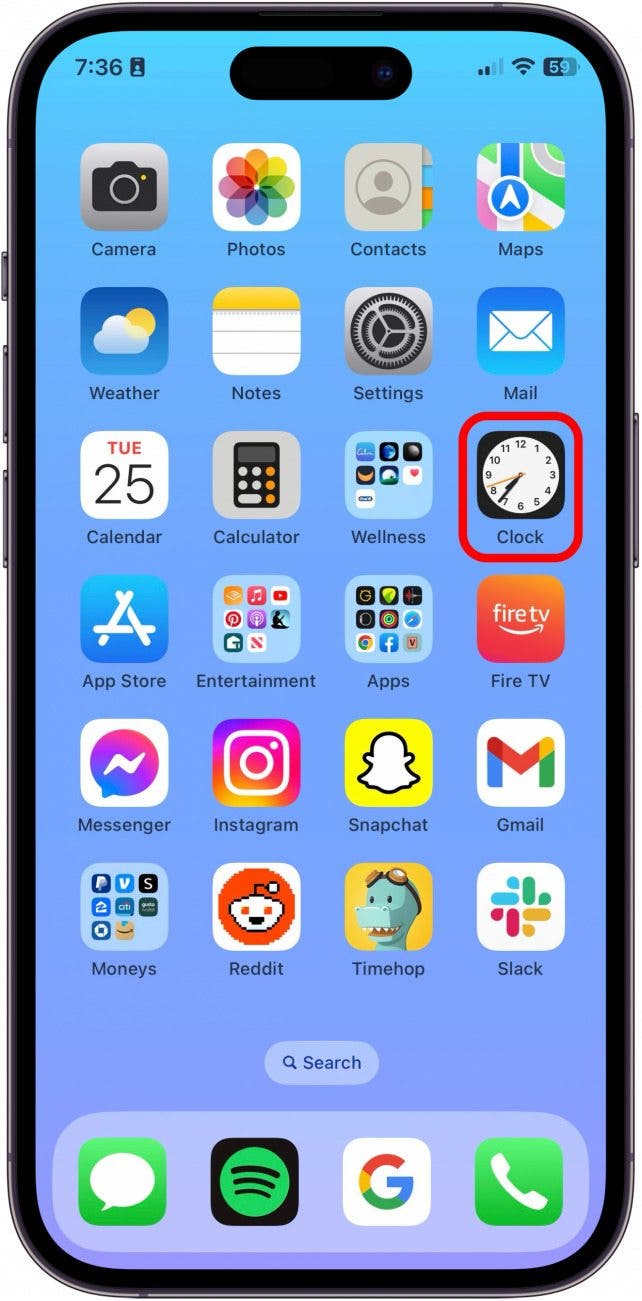
- On your iPhone, open the Clock app.
- Tap Timers.

- Go ahead and start a new timer.

- Then, tap the Plus in the top right.

- From here, you set up another timer and tap the Play icon.

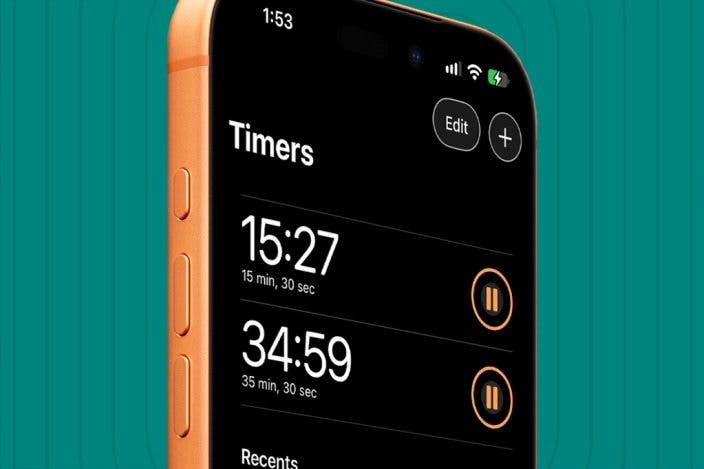
- Now, you will be able to see multiple timers at once.
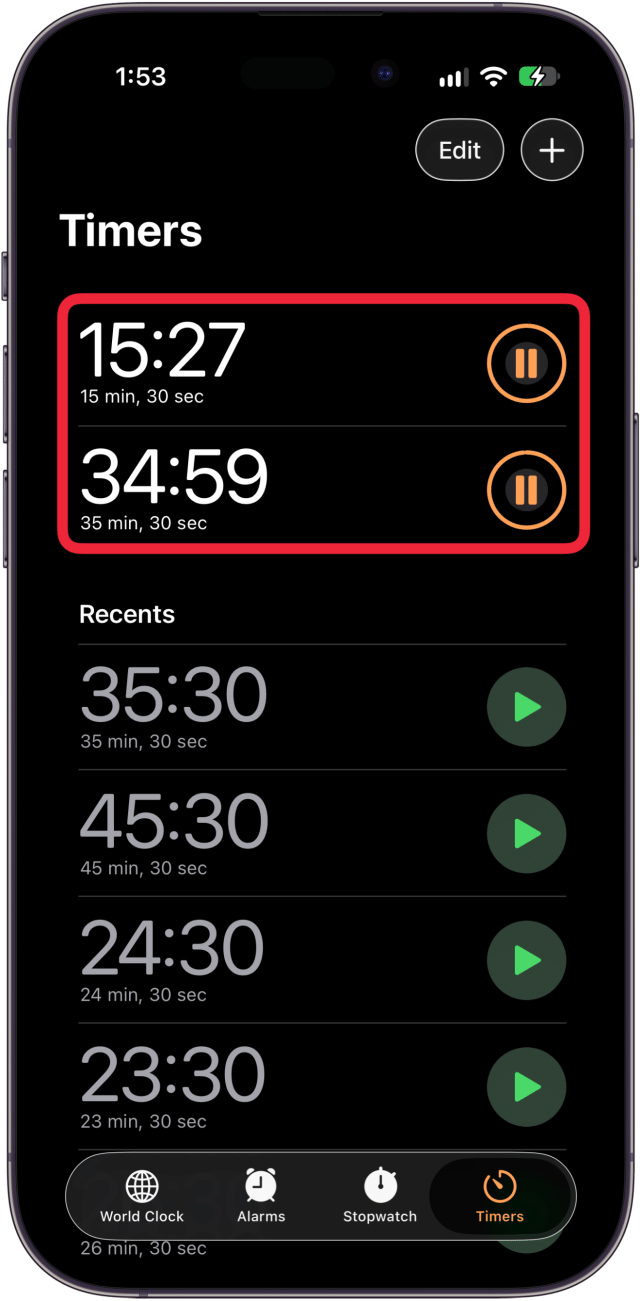
- You can also quickly start a new timer by tapping the Play button next to your recent timers.

- From your Lock Screen, you'll see a timer stack. Tap it to see all your timers.

- Now you can pause, cancel, or collapse your timers right from your Lock Screen.

And that's how to set multiple iPhone timers at once. I'm very happy about this useful but simple feature added to the Clock app. Be sure to check out our free Tip of the Day for more great Clock app tutorials.
More On: iPhone Clocks & Timers

Every day, we send useful tips with screenshots and step-by-step instructions to over 600,000 subscribers for free. You'll be surprised what your Apple devices can really do.

Rachel Needell
Related Articles
 Rhett Intriago

 Olena Kagui
News Roundup: Hacks, Scams, Trouble + What You Can Do to Protect Yourself
 Cullen Thomas
Will My Alarm Go Off in Do Not Disturb? Here's What to Know
 Amy Spitzfaden Both
 Rachel Needell

 Leanne Hays

 Ravi Both

 Linda Ruth